Zone Stretch
Stretch only the part you choose.Tarik hanya bagian yang Anda pilih.
Free SketchUp extension · Windows & macOS · SketchUp 2021+ · VersionExtension SketchUp gratis · Windows & macOS · SketchUp 2021+ · Versi 1.4.0
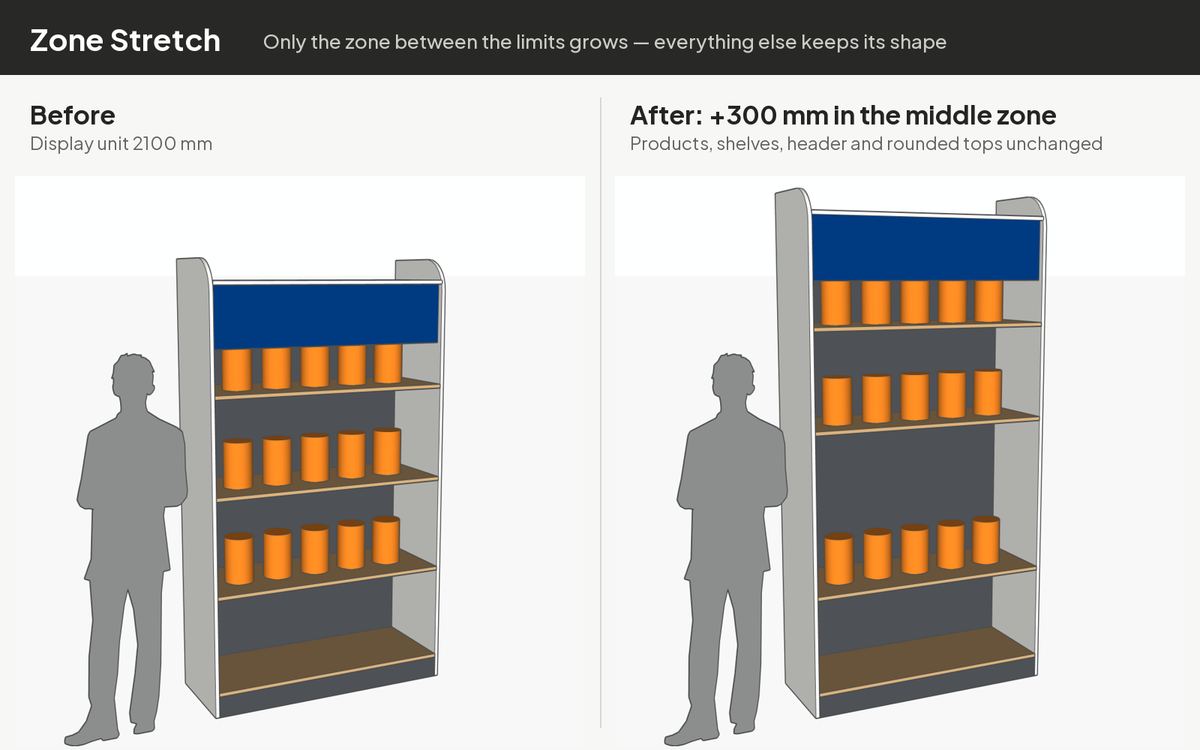
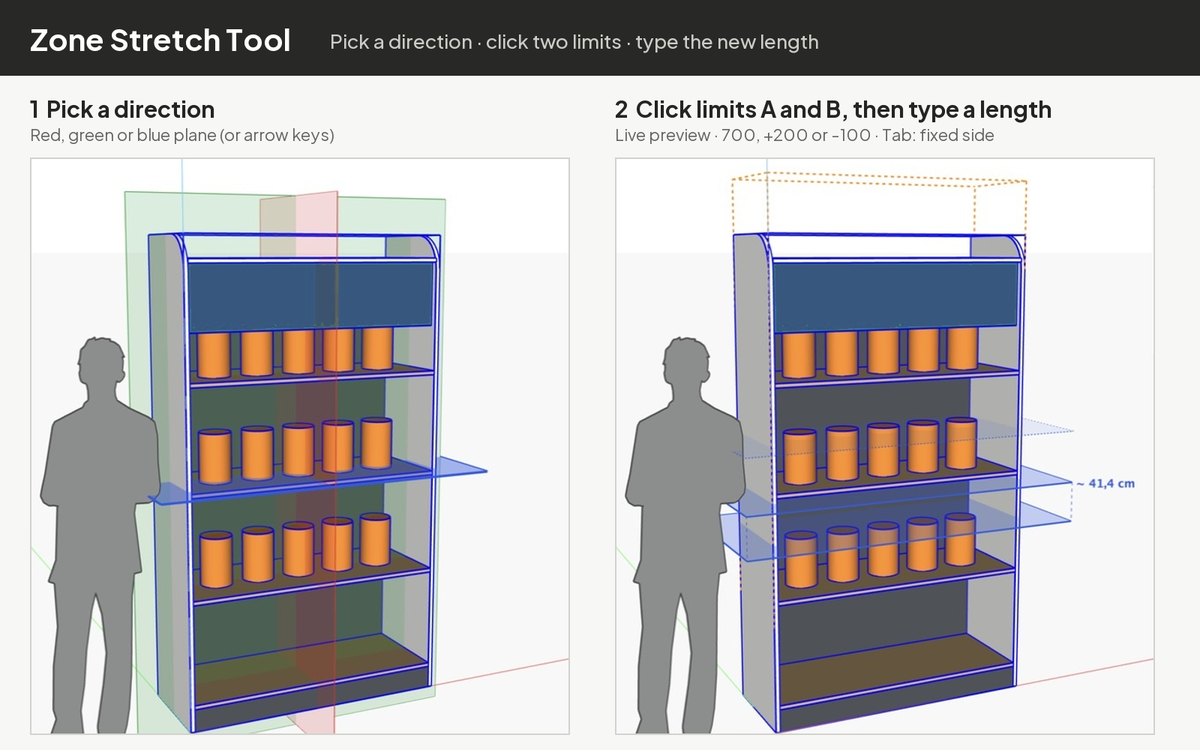
Make one part of a model longer or shorter — only between two limit planes — while everything outside keeps its exact shape. Pick a direction (red, green or blue plane), click limits A and B, then type the new length (480), a change (+200) or a shrink (-100). Works deep inside nested groups and components without exploding them; shared components stay shared.
Memanjangkan atau memendekkan satu bagian model — hanya di antara dua bidang batas — sementara bagian lain tetap utuh. Pilih arah (bidang merah, hijau atau biru), klik batas A dan B, lalu ketik panjang baru (480), penambahan (+200) atau pengurangan (-100). Bekerja di dalam grup dan komponen bersarang tanpa explode; komponen bersama tetap berbagi definisi.
InstallInstalasi
- Download the
.rbzabove. - SketchUp: Extensions › Extension Manager › Install Extension… and choose the
.rbz. - The toolbar appears automatically (otherwise View › Toolbars). Full guide: Tutorial.
- Unduh file
.rbzdi atas. - Di SketchUp: Extensions › Extension Manager › Install Extension… lalu pilih file
.rbz. - Toolbar muncul otomatis (jika tidak: View › Toolbars). Panduan lengkap: Tutorial.
FAQ
Only part of my model changed.Hanya sebagian model yang berubah.
Only the selected object stretches — group the parts (frame, header, shelves…) first to stretch them together.Hanya objek terpilih yang ditarik — gabungkan dulu bagian-bagiannya (rangka, header, rak…) dalam satu grup.
"Cannot shrink by …""Cannot shrink by …"
A shrink (-…) must be smaller than the gap between A and B. Type a smaller amount, or type the new length without a sign.Pengurangan (-…) harus lebih kecil dari celah antara A dan B. Ketik angka lebih kecil, atau ketik panjang baru tanpa tanda.
Interface language.Bahasa antarmuka.
The extension uses an English interface; the tutorial and this page are available in English and Indonesian.Menu dan dialog extension memakai bahasa Inggris; tutorial dan halaman ini tersedia dalam bahasa Inggris dan Indonesia.
Uninstall.Uninstall.
Extensions › Extension Manager › select the extension › Uninstall.Extensions › Extension Manager › pilih extension › Uninstall.
Contact & bug reportsKontak & laporan bug
Buy me a coffee for IDR 10,000. That's less than a dollar. The plugin is free. The coffee is optional. My wife insisted on this button.