Solid Panel
Turn a flat shape or a few lines into a solid panel.Ubah bentuk datar atau beberapa garis menjadi panel solid.
Free SketchUp extension · Made on SketchUp 2026 for macOS · VersionExtension SketchUp gratis · Dibuat di SketchUp 2026 untuk macOS · Versi 1.1.1
Select a flat shape or some lines, give a thickness, and get a separate solid group. Your original stays where it is unless you choose to remove it, and one Undo takes the panel away.
Pilih bentuk datar atau beberapa garis, isi ketebalannya, dan Anda mendapat grup solid terpisah. Objek asli tetap ada kecuali Anda memilih menghapusnya, dan satu kali Undo membatalkan panelnya.
What it doesFungsinya
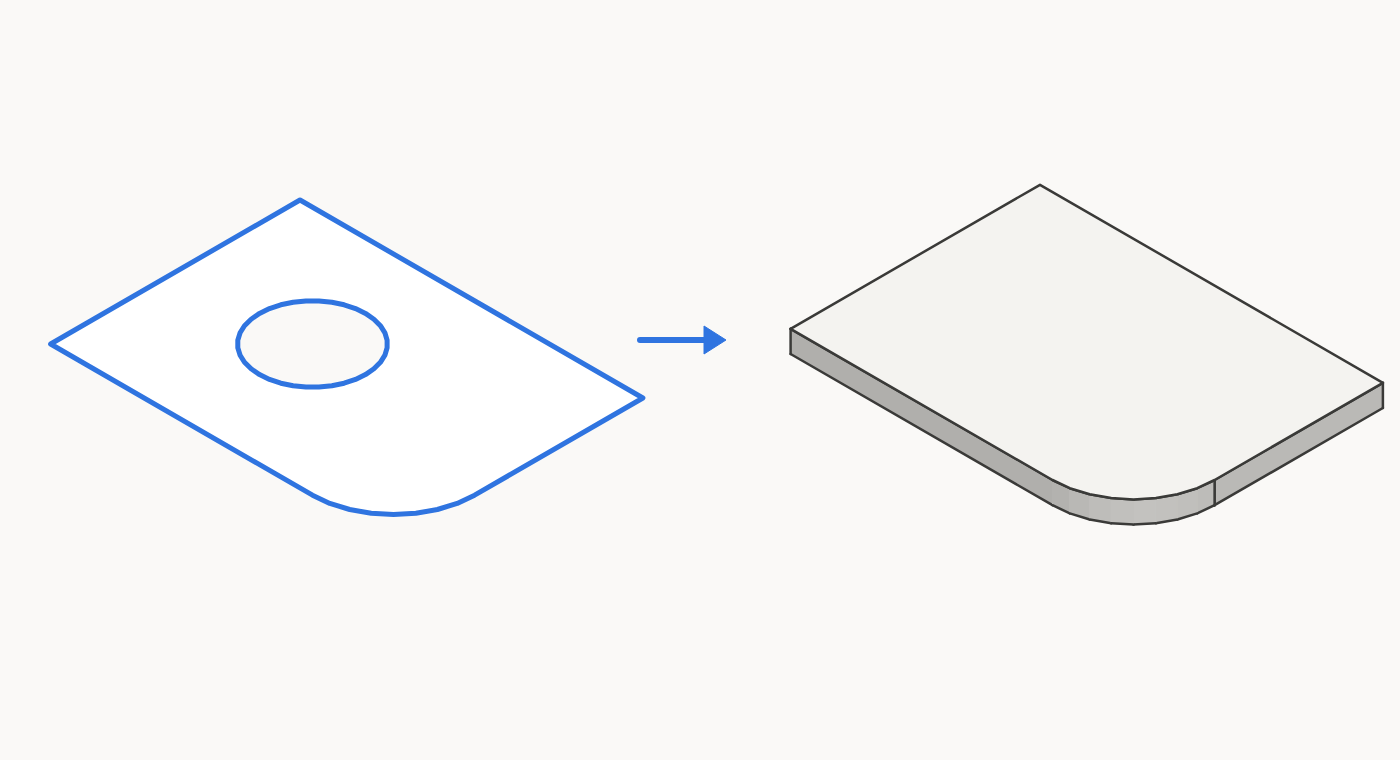
- From a flat shape: a face, or a group or component whose faces all lie in one plane, becomes a panel of the thickness you choose.
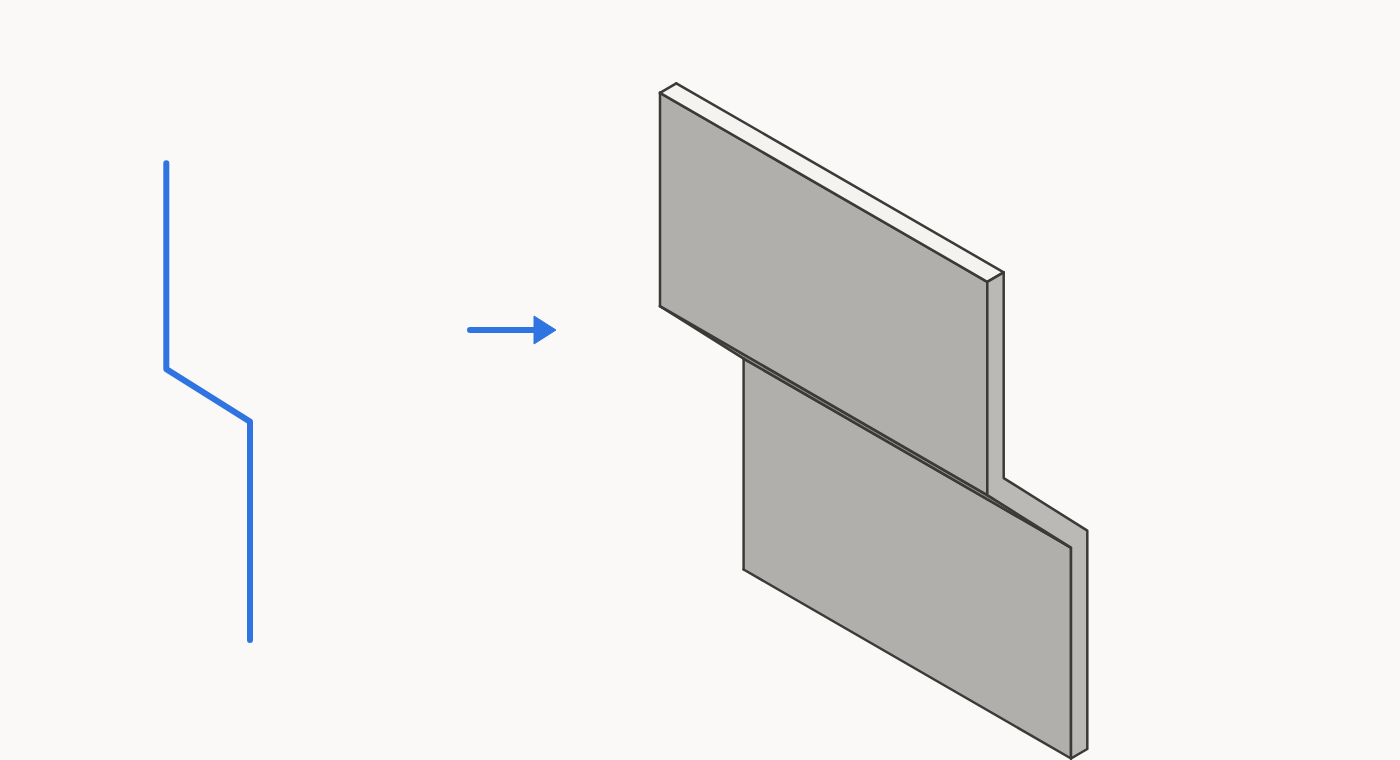
- From lines: connected lines, open or closed, straight or arcs, are given a thickness and pulled to the length you choose.
- Holes are filled: a flat shape uses its outer outline only.
- Sharp bends stay sharp: only real curves are smoothed, and you can turn that off with one checkbox.
- Several at once: each selected shape or chain of lines gets its own group.
- Nothing is merged: the panel is a new group, next to the original in the same context.
- Dari bentuk datar: face, atau grup atau komponen yang semua face-nya sebidang, menjadi panel setebal yang Anda pilih.
- Dari garis: garis yang tersambung, terbuka atau tertutup, lurus atau arc, diberi ketebalan dan ditarik sepanjang yang Anda pilih.
- Lubang ditutup: bentuk datar hanya memakai outline luarnya.
- Tekukan tetap tajam: hanya lengkungan sungguhan yang dihaluskan, dan ini bisa dimatikan dengan satu checkbox.
- Sekaligus banyak: tiap bentuk atau rangkaian garis yang dipilih mendapat grupnya sendiri.
- Tidak ada yang digabung: panel adalah grup baru, di samping objek asli dalam konteks yang sama.
How it worksCara kerja
- Select a flat shape, or select lines only.
- Choose Extensions › Solid Panel…, the toolbar button, or right-click and choose Solid Panel…
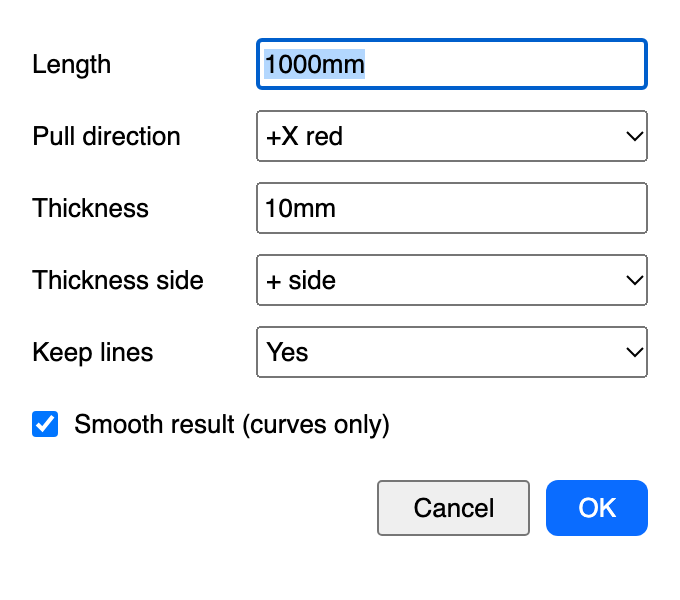
- Fill in the form and press OK.
- Pilih bentuk datar, atau pilih garis saja.
- Pilih Extensions › Solid Panel…, tombol toolbar, atau klik kanan lalu pilih Solid Panel…
- Isi form lalu tekan OK.
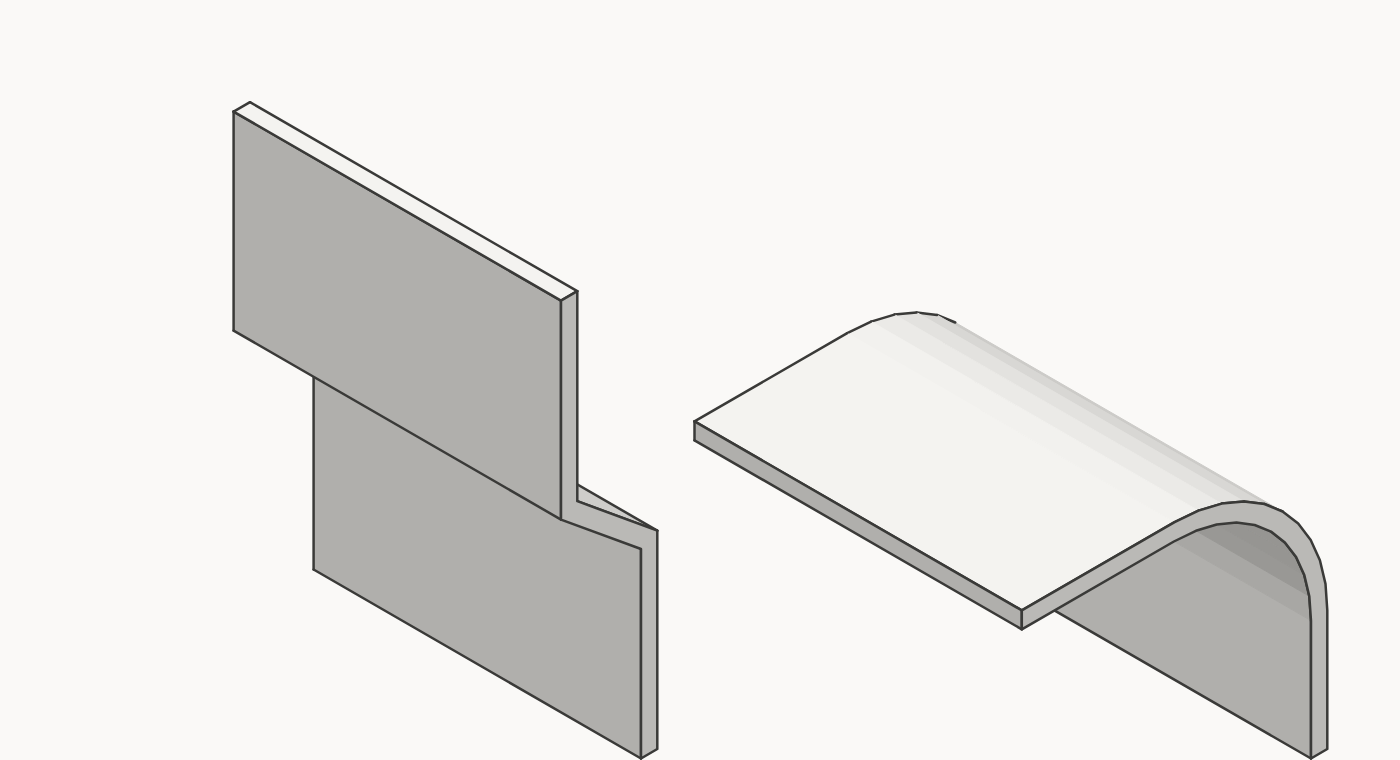
In the second picture, the bent lines keep their sharp corners and the arc comes out smooth. Smooth result is on by default. Turn it off and every edge stays hard, curves included.
Pada gambar kedua, garis bertekuk tetap bersudut tajam dan arc menjadi halus. Smooth result aktif secara default. Jika dimatikan, semua edge tetap keras, termasuk lengkungan.
InstallInstalasi
- Download the
.rbzabove. - SketchUp: Extensions › Extension Manager › Install Extension… and choose the
.rbz. - Use Extensions › Solid Panel…, or show the toolbar in View › Toolbars. Full guide: Tutorial.
- Unduh file
.rbzdi atas. - SketchUp: Extensions › Extension Manager › Install Extension… lalu pilih file
.rbz. - Gunakan Extensions › Solid Panel…, atau tampilkan toolbar di View › Toolbars. Panduan lengkap: Tutorial.
Made and used on SketchUp 2026 for macOS. Not yet tested on Windows or on older SketchUp versions.
Dibuat dan dipakai di SketchUp 2026 untuk macOS. Belum diuji di Windows atau SketchUp versi lama.
FAQ
Why is one bend sharp and a curve smooth?Kenapa tekukan tajam tetapi lengkungan halus?
Solid Panel smooths a corner only if it turns less than 30° and belongs to a curve. That means a real SketchUp arc or curve, or at least three small turns in a row in the same direction, which is how an exploded arc looks. A plain bend stays sharp at any angle. To keep every edge hard, turn off Smooth result.Solid Panel menghaluskan sudut hanya jika beloknya kurang dari 30° dan termasuk lengkungan, yaitu arc atau curve SketchUp sungguhan, atau minimal tiga belokan kecil berurutan ke arah yang sama, seperti arc yang sudah di-explode. Tekukan biasa tetap tajam berapa pun sudutnya. Agar semua edge tetap keras, matikan Smooth result.
"Select flat shapes (a face, or a group/component with flat faces), or lines.""Select flat shapes (a face, or a group/component with flat faces), or lines."
Nothing usable is selected. Faces in a group or component must all lie in one plane.Tidak ada pilihan yang bisa dipakai. Semua face dalam grup atau komponen harus sebidang.
"These lines do not lie in one flat plane…""These lines do not lie in one flat plane…"
Lines can only be pulled in one direction if they lie in one flat plane. Check that no point has moved out of that plane.Garis hanya bisa ditarik ke satu arah jika semuanya berada di satu bidang datar. Periksa apakah ada titik yang keluar dari bidang itu.
Where did the holes in my shape go?Ke mana lubang pada bentuk saya?
They are filled on purpose. A flat shape uses its outer outline only.Memang sengaja ditutup. Bentuk datar hanya memakai outline luarnya.
I selected shapes and lines together, but the lines were ignored.Saya memilih bentuk dan garis bersamaan, tetapi garisnya diabaikan.
When a flat shape is in the selection, only the shapes are used. Select lines on their own to use them.Jika ada bentuk datar dalam pilihan, hanya bentuk itu yang dipakai. Pilih garis saja untuk memakainya.
Is my original changed?Apakah objek asli berubah?
No, unless you set Keep original or Keep lines to No, which removes it. Undo brings it back.Tidak, kecuali Anda mengatur Keep original atau Keep lines ke No, yang menghapusnya. Undo mengembalikannya.
Version historyRiwayat versi
- 1.1.1 · 2026-11-06: sharp bends stay sharp and only real curves are smoothed; new Smooth result checkbox; new form and new icons.
- 1.1.0 · 2026-11-01: make panels from lines.
- 1.0.0 · 2026-11-01: first version.
- 1.1.1 · 2026-11-06: tekukan tetap tajam dan hanya lengkungan sungguhan yang dihaluskan; checkbox baru Smooth result; form dan ikon baru.
- 1.1.0 · 2026-11-01: membuat panel dari garis.
- 1.0.0 · 2026-11-01: versi pertama.
Contact & bug reportsKontak & laporan bug
Buy me a coffee for IDR 10,000. That's less than a dollar. The plugin is free. The coffee is optional. My wife insisted on this button.