Solid Panel
Turn a flat shape or a few lines into a solid panel.
Ubah bentuk datar atau beberapa garis menjadi panel solid.
1. Install1. Instalasi
- Download the
.rbzfrom the main page. - SketchUp: Extensions › Extension Manager › Install Extension… and choose the file.
- Find it under Extensions › Solid Panel…, or show the toolbar in View › Toolbars.
- Unduh
.rbzdari halaman utama. - SketchUp: Extensions › Extension Manager › Install Extension… lalu pilih filenya.
- Temukan di Extensions › Solid Panel…, atau tampilkan toolbar di View › Toolbars.
2. Panel from a flat shape2. Panel dari bentuk datar
Give a flat shape real thickness.
Beri ketebalan pada bentuk datar.
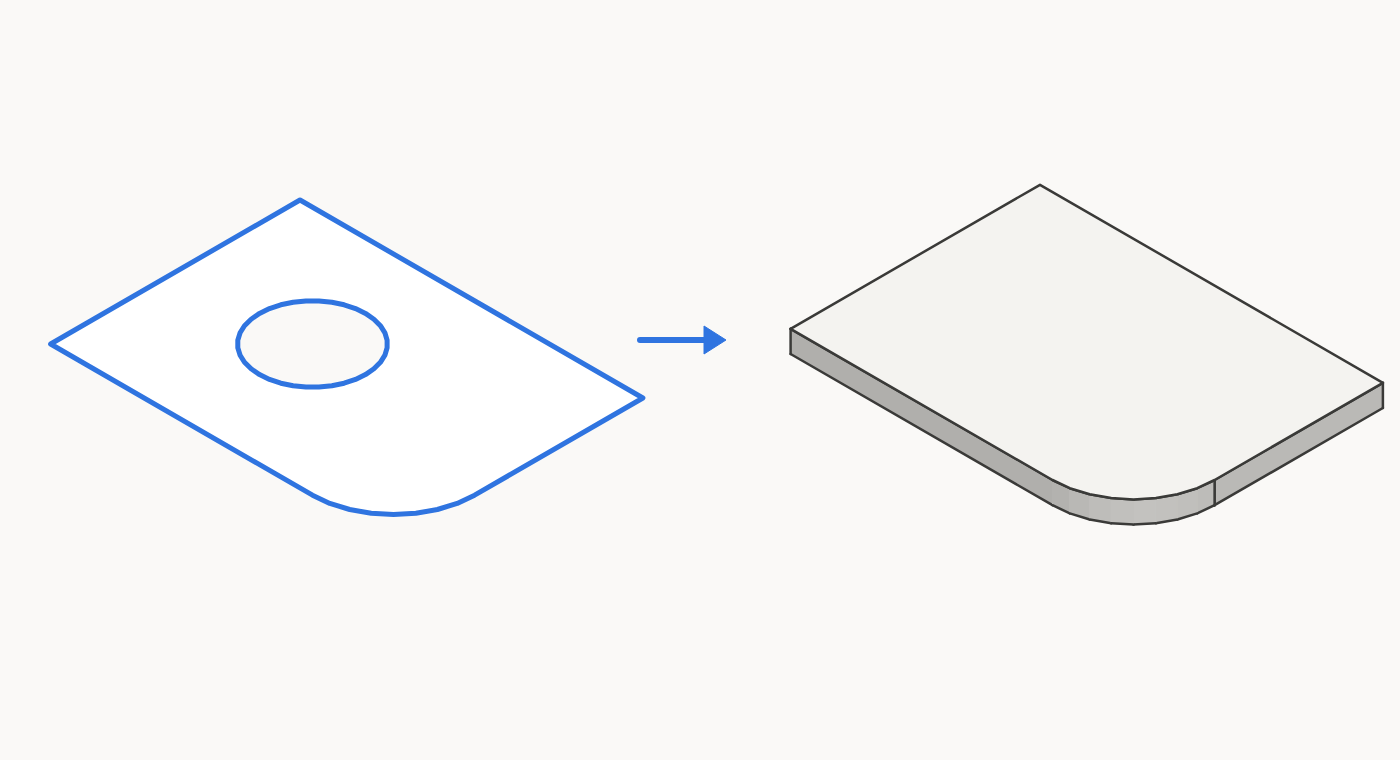
- Select a face, or a group or component whose faces all lie in one plane. You can select several.
- Choose Extensions › Solid Panel…
- Thickness: type a value, for example
10mm. - Direction: Front builds toward the front of the face, Back toward the back, Centered half each way.
- Keep original:
Yesleaves the shape in place,Noremoves it. - Smooth result: leave it on to smooth curves, or turn it off to keep every edge hard.
- Press OK.
- Pilih face, atau grup atau komponen yang semua face-nya sebidang. Bisa memilih beberapa.
- Pilih Extensions › Solid Panel…
- Thickness: ketik nilainya, misalnya
10mm. - Direction: Front ke arah depan face, Back ke arah belakang, Centered setengah ke tiap arah.
- Keep original:
Yesmembiarkan bentuknya,Nomenghapusnya. - Smooth result: biarkan aktif untuk menghaluskan lengkungan, atau matikan agar semua edge tetap keras.
- Tekan OK.
You get a new group in the same context, named after your group or component, such as Shelf panel, or Shape panel for a loose face. It takes the material of the first face.
Anda mendapat grup baru dalam konteks yang sama, dinamai sesuai grup atau komponen Anda, misalnya Shelf panel, atau Shape panel untuk face lepas. Materialnya mengikuti face pertama.
3. Panel from lines3. Panel dari garis
Draw a profile with lines, then let Solid Panel do the offset and the Push/Pull.
Gambar profil dengan garis, lalu biarkan Solid Panel melakukan offset dan Push/Pull.
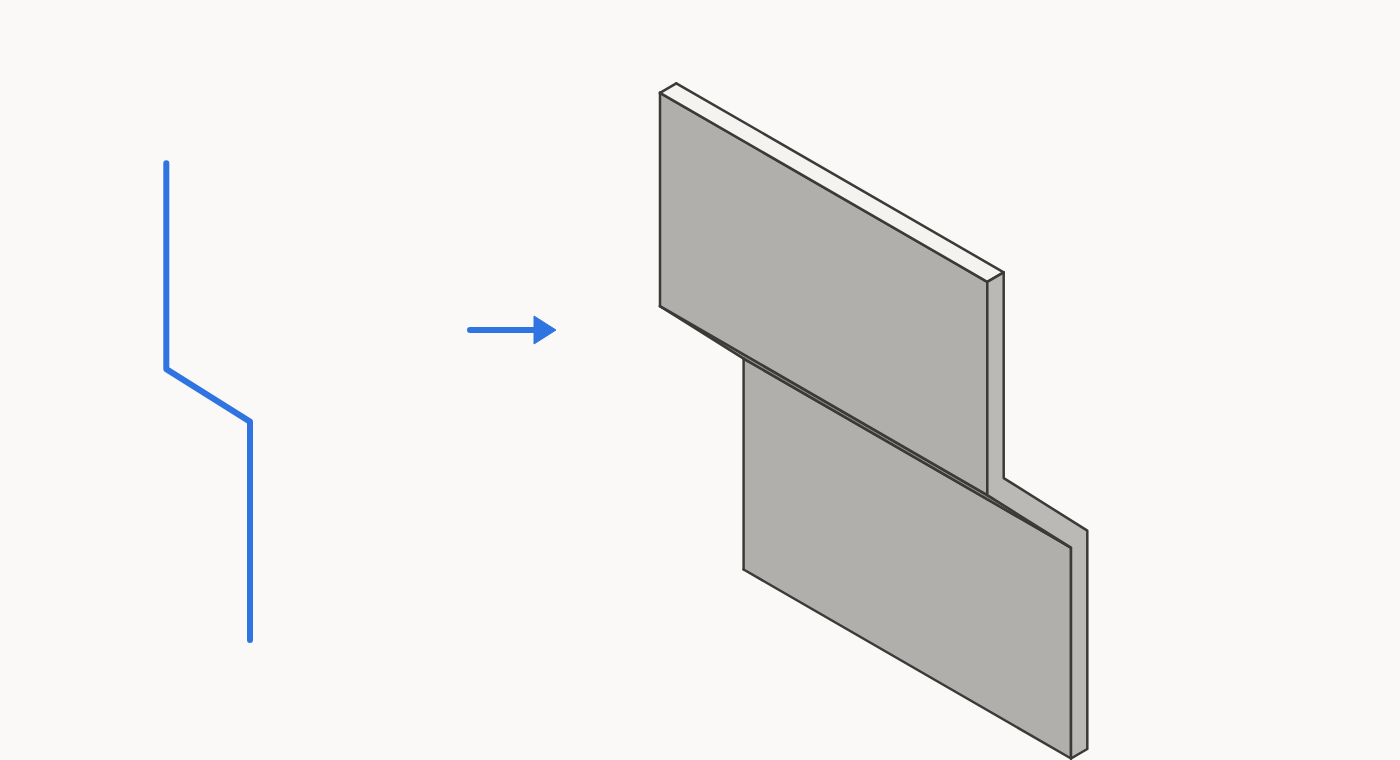
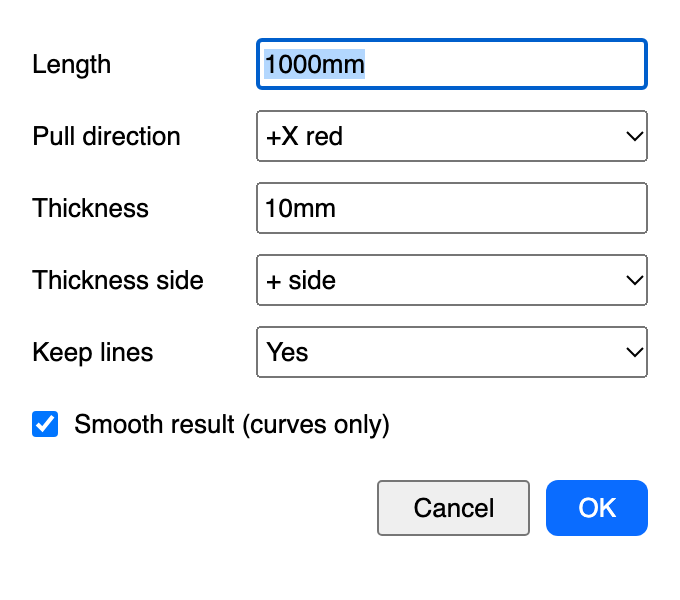
- Select connected lines only, with no flat shape in the selection. They can be open or closed, and arcs are fine. All lines must lie in one flat plane.
- Choose Extensions › Solid Panel…
- Length: how far to pull the profile, for example
1000mm. - Pull direction: the list shows only directions square to your lines. Lines on a sloped plane get Plane normal + and Plane normal -.
- Thickness: for example
10mm. - Thickness side: + side or - side puts the thickness on one side of the line, Centered puts half on each.
- Keep lines:
Yesleaves the lines in place,Noremoves them. - Press OK.
- Pilih garis yang tersambung saja, tanpa bentuk datar dalam pilihan. Boleh terbuka atau tertutup, dan arc juga bisa. Semua garis harus berada di satu bidang datar.
- Pilih Extensions › Solid Panel…
- Length: seberapa jauh profil ditarik, misalnya
1000mm. - Pull direction: daftar hanya menampilkan arah yang tegak lurus garis Anda. Garis di bidang miring mendapat Plane normal + dan Plane normal -.
- Thickness: misalnya
10mm. - Thickness side: + side atau - side menaruh ketebalan di satu sisi garis, Centered setengah di tiap sisi.
- Keep lines:
Yesmembiarkan garisnya,Nomenghapusnya. - Tekan OK.
4. Sharp bends and curves4. Tekukan dan lengkungan
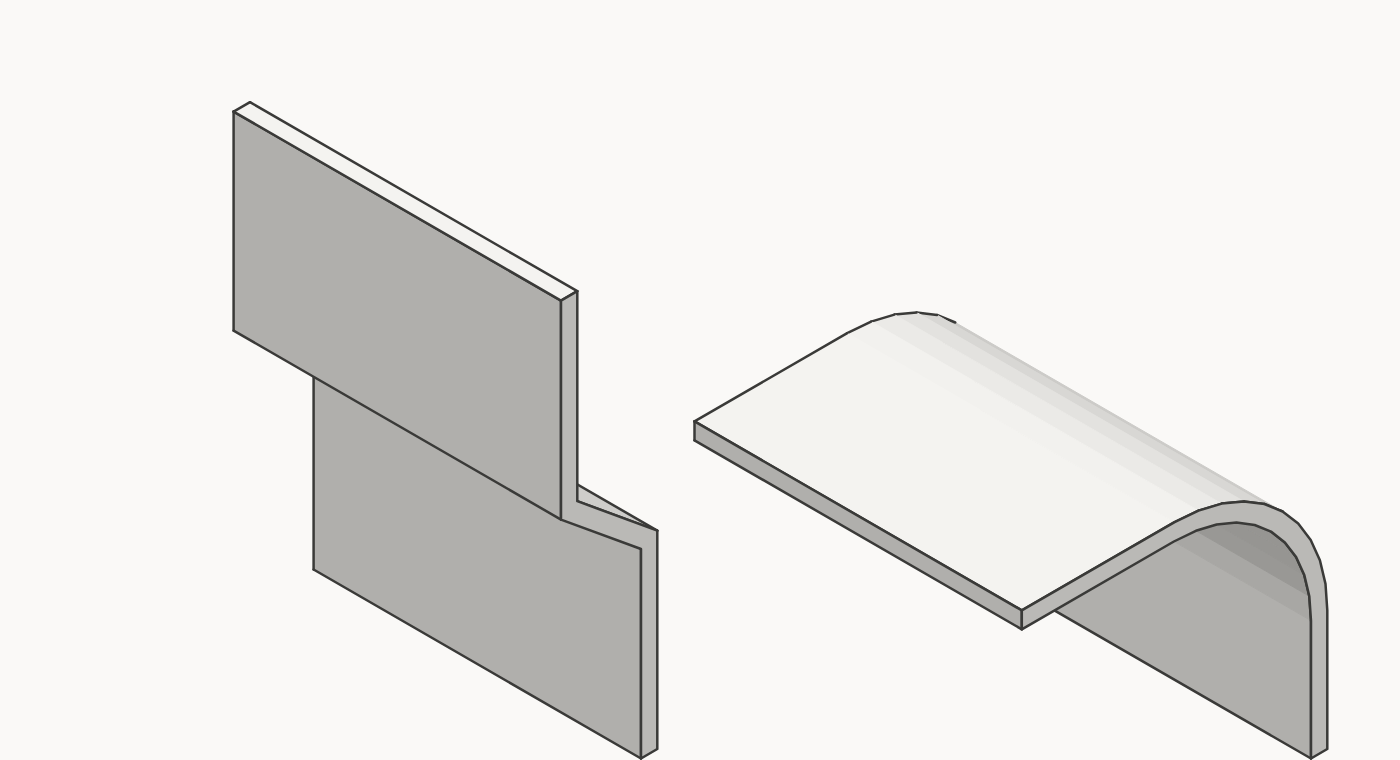
With Smooth result on, a corner is smoothed only if it turns less than 30° and belongs to a curve: a real arc or curve, or three or more small turns in a row in the same direction, as in an exploded arc. Plain bends stay sharp at any angle. With it off, every edge stays hard.
Saat Smooth result aktif, sudut dihaluskan hanya jika beloknya kurang dari 30° dan termasuk lengkungan: arc atau curve sungguhan, atau tiga belokan kecil atau lebih berurutan ke arah yang sama, seperti arc yang di-explode. Tekukan biasa tetap tajam berapa pun sudutnya. Jika dimatikan, semua edge tetap keras.
5. Uninstall5. Uninstall
Extensions › Extension Manager › select Solid Panel › Uninstall.
Extensions › Extension Manager › pilih Solid Panel › Uninstall.
Buy me a coffee for IDR 10,000. That's less than a dollar. The plugin is free. The coffee is optional. My wife insisted on this button.